
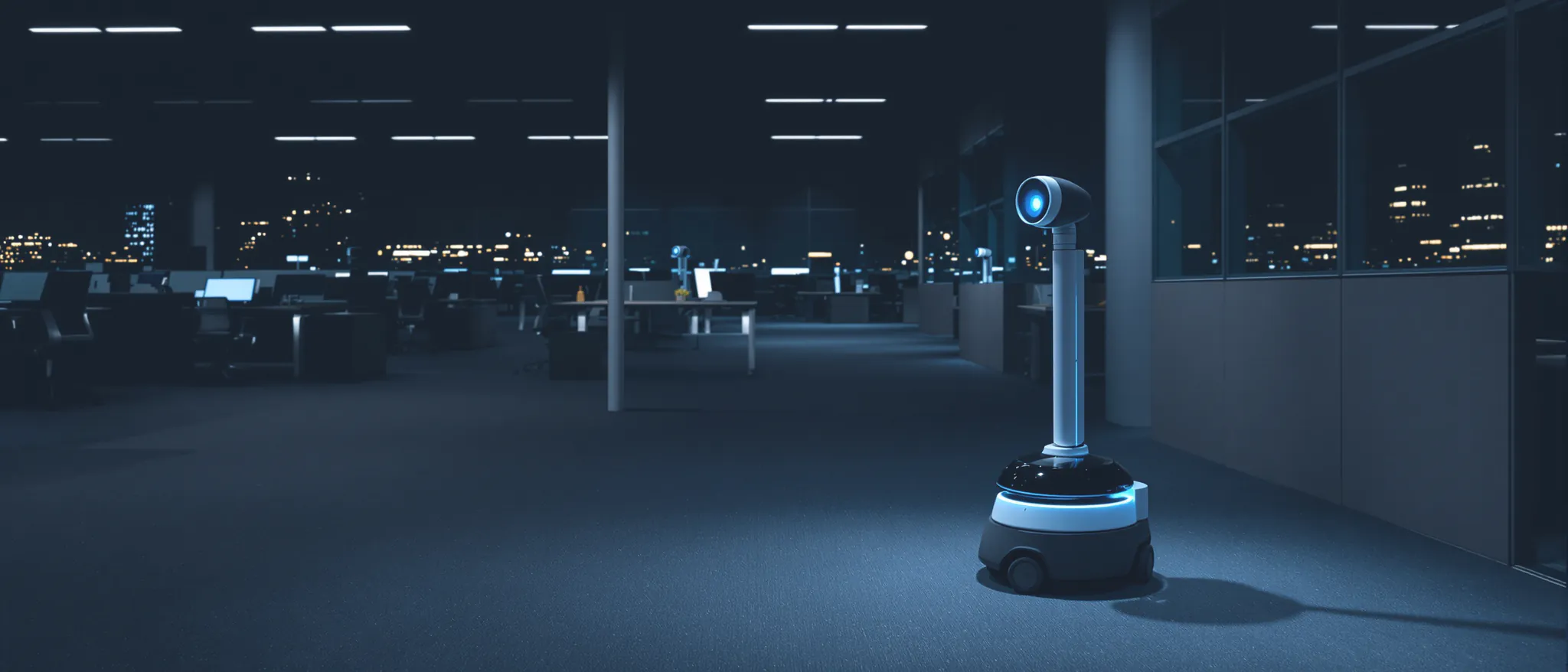
The Ring Rover Cam for your business.
A camera that drives to the trouble. Here’s what the Ring Rover Cam costs, which floors it can patrol, what setup takes and who acts when it spots someone after close.
Is the Ring Rover Cam good for a business?
The Ring Rover Cam can suit a small, single-floor business that needs checks inside after close. It costs $999.99, ships December 16, 2026, and needs a compatible Ring Protect plan for scheduled patrols. It drives through rooms and checks saved points, but cannot use stairs or go outdoors. Someone still needs to watch the alerts and act.
Where 911 Sentinel fits
We set it up for you from $150, or lease, install and watch one from $400/mo: an operator checks every alert during your monitoring window and calls your team, then police.
What is the Ring Rover Cam?
The Ring Rover Cam is Ring’s wheeled patrol robot for businesses, built using technology from Amazon’s Astro. Ring calls its navigation system AI Pilot: it maps the floor, suggests places to check and finds routes around furniture and shelving. You choose the rooms, patrol points and schedules in the Ring app.
| Item | Detail |
|---|---|
| Price | $999.99 |
| Ships | December 16, 2026 (US, preorders open) |
| Video | Up to 4K while moving; a 360° scan at each patrol point |
| Camera mast | A periscope that raises to see over counters and shelving |
| On its own | Siren, light tower, two-way audio |
| Where it drives | Indoors, one floor, dry floors |
| Starts a patrol | On a schedule, on demand, or when a connected Ring device is triggered |
| Needs | A compatible Ring Protect plan and the Ring app |
| Privacy | Ring's TAKE encryption; sleep mode lowers the mast and turns the microphone off |
Launch figures from Ring’s announcement and product pages, checked November 10, 2026.
Will it work in my building?
Start with the floor, before you order the robot. These six checks cover Ring’s floor restrictions and the power and Wi-Fi needed for installation. Walk the whole route, including the back rooms and doorways.
Ring's rule
One floor
It can't climb or go down stairs. Each floor needs its own robot.
Ring's rule
Thresholds up to 1.375 in
Door sills, ramps and floor transitions over 1.375 inches (35 mm) stop it.
Ring's rule
No sunken areas
Drains, dock pits, step-downs and curved floor edges are off the route.
Ring's rule
No black glossy floors
Shiny black flooring confuses its sensors. Matte, tile, concrete and carpet are fine.
Install check
Wi-Fi along the route
Video streams as it drives. A weak corner needs an access point or an LTE box.
Install check
An outlet for the dock
A wall outlet out of walkways, close to the area it guards.
A shop, single-floor office or showroom on dry tile or finished concrete is the easy case. The usual catch is the doorway to the stockroom: one tall threshold there breaks the route.
What does it cost to run?
| Item | Cost | Notes |
|---|---|---|
| The robot | $999.99 one time | From Ring |
| Ring Protect plan | Monthly, on top | Required by Ring |
| Ring Virtual Security Guard (live agents) | $99/mo per location | 175 person events a month on Ring's plan |
| Setup | Your time, or an installer | Mapping and patrol points in the Ring app |
| 911 Sentinel install + monitoring | From $400/mo | On its own or with our cameras; setup from $150 |
The robot is a one-time purchase. Ring subscriptions and any paid monitoring add a separate monthly cost.
The real monthly cost depends on who answers when the robot spots someone. For context, one unarmed guard inside for 8 hours a night costs about $9,380/mo in Seattle.
What does the Ring Rover Cam do when someone breaks in?
A Ring sensor or camera is triggered
A linked Ring sensor, camera or alarm can start a check; schedules and app commands work too.
The robot drives to that spot
It follows its mapped route to the saved patrol point and scans through 360°.
It records and sounds the siren
It records up to 4K video; its siren and light tower can warn someone they’ve been spotted.
Someone has to act on the alert
By default, you handle alerts in the Ring app. Paid Ring monitoring depends on device eligibility. With our service, an operator checks the video and makes the calls.
Ring Rover Cam vs. Ring Drone Cam
| Ring Rover Cam | Ring Drone Cam | |
|---|---|---|
| Made for | Businesses | Homes |
| Price | $999.99 | $249.99 |
| Ships | December 16, 2026 | January 27, 2027 |
| Moves by | Driving on one floor | Flying, including upstairs |
| Video | Up to 4K | 2K, 148° view |
| Time out | Not published | Up to 8 minutes a flight |
| Deterrence | Siren and light tower | Audible propellers |
For a shop or office, start with the Rover: Ring designed it for business patrols. The Drone Cam is a home product, built for short indoor checks with flights up to 8 minutes. Its propellers are audible by design. Flying between rooms at home is a different job from watching a business after close.
What to know before you buy
- Ring lists coverage up to 5,000 square feet, but hasn’t published patrol runtime per charge.
- Alarm-triggered checks rely on linked Ring devices. Scheduled patrols and commands in the app are separate options.
- Washington generally requires everyone’s consent to record private conversations. We keep sound recording off and save video only.
- Astro for Business was discontinued. We replace leased robots that fail; a purchased robot leaves replacement with you.
How to set up a Ring Rover Cam in a business
Check the floor
Run all six checks above, following the route from the dock through every doorway.
Give the dock its own outlet
Keep the dock out of walkways, with clear space around it, near the rooms it checks.
Check Wi-Fi along the route
Walk the route with your phone and check the signal; add an access point where needed.
Let it map, then set patrol points
Let the robot map the floor, then save views of doors, the register and stockroom.
Pair door sensors and set schedules
Connect compatible Ring door sensors and choose patrol times, so an opening door starts a check.
Decide who answers the alerts
Choose who watches and calls for help: you, eligible Ring monitoring or a service like ours.
What to use for bigger or outdoor sites
Start outside with cameras on entrances, lots and fence lines. Add vehicle patrol for rounds, or drone sweeps for a broad view over a yard. In a big warehouse, put an indoor robot beside the stock cage or office and use fixed cameras across the wider floor. Our security robots and drones guide compares those options, including docked drones for sites that need repeated checks from above.
Sources
Checked 2026-11-10.
- Amazon: Ring announces Ring Robotics (Ring Drone Cam and Ring Rover Cam), November 10, 2026
- CE Pro: Ring launches Ring Robotics with indoor drone and commercial patrol robot
- TechCrunch: Ring launches a home security drone and an enterprise security robot
- Ring: Rover Cam product details and floor restrictions
- Ring support: Rover Cam specifications and subscription requirements
- Ring support: Drone Cam specifications and flight time
- Ring: Virtual Security Guard plan details
- BGR: the Always Home Cam's history
- Ring support: how Virtual Security Guard works
- Washington Legislature: RCW 9.73.030, recording private conversations
- TechCrunch: Amazon confirms Astro for Business discontinuation, July 3, 2024
Common questions
How much is the Ring Rover Cam?
Ring announced a price of $999.99, with US shipping from December 16, 2026. A compatible Ring Protect plan is required for scheduled patrols and adds a subscription cost.
Can the Ring Rover Cam go up stairs?
No. It drives on one floor and cannot climb stairs. To patrol separate floors, you need a robot on each floor and a suitable route for each.
Does the Ring Rover Cam work outside?
No. Ring specifies dry indoor floors. Use it inside your shop or office; cameras, vehicle patrol and outdoor drones cover the lot, yard and fence line.
Can a company monitor a Ring Rover Cam for me?
Our service covers installation, mapping and monitoring during your chosen window. An operator checks alerts, calls your team, then police if needed. Ring also sells agent monitoring for eligible devices; Rover eligibility needs checking before you buy that plan.
What does 911 Sentinel charge to install and watch one?
Our indoor patrol robot service starts from $400/mo, installed and watched, on its own or with our outdoor cameras. Setup for a robot you bought starts from $150. Start with a free site assessment.
Get a free site assessment
We reply the same day, walk your property with you, and send a written plan with a firm price after the walk.
Business calls 8am-8pm every day · our monitoring team works around the clock